What it does#
A terminal in Eclipse sends almost all keys to the shell. This is necessary for
programs such as vi, emacs and bash, but you cannot use the usual workbench
keys in the terminal. For example, F12 does not take you back to the editor, and
Ctrl+M does not maximize the Terminal view.
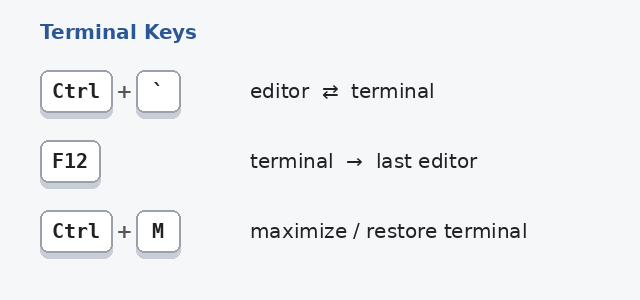
This plugin adds these keys:
| Key | Where | Result |
|---|---|---|
Ctrl+` | Editor or other view | Activates the Terminal view. If no terminal is open, opens the Launch Terminal dialog. |
Ctrl+` | Terminal | Activates the last editor. |
F12 | Terminal | Activates the last editor. |
Ctrl+M | Terminal | Maximizes or restores the Terminal view. |
All other keys go to the shell as before.
Change the keys#
The plugin uses the keys of three commands in Window > Preferences > General > Keys:
- Toggle Terminal (new,
Ctrl+`by default) - Activate Editor (
F12by default) - Maximize Active View or Editor (
Ctrl+Mby default)
When you change the key of one of these commands, the new key also works in the terminal. Then the shell does not get that key.
Tip: start the terminal in the project of the open file#
In Window > Preferences > Terminal > Local Terminal, set
Initial Working Directory to ${project_loc}. Then a terminal that you open
with Ctrl+` from an editor starts in the project of the file in that editor.
The preference page checks the value when you type it. Click in an editor before you open the preferences, or the page shows an error because no file is selected.
Install#
In Eclipse, select Help > Install New Software…
In Work with, type this address and press
Enter:https://anydoby.com/eclipseSelect Terminal Keys in the category anydoby Eclipse plugins.
Click Next, accept the license (EPL-2.0) and click Finish.
Restart Eclipse.
The plugin needs Java 21 or later and an Eclipse with the terminal in
org.eclipse.terminal.* (Eclipse 4.41 or later is tested).
Notes#
- The shell does not get
F12andCtrl+M. In a shell,Ctrl+Mis the same asEnter. If a program in the terminal needsF12, remove the key of Activate Editor or give it a different key. - The Terminal view also has its own key to maximize it:
Alt+Up.
Changelog#
- 1.0.0: first release